I had an AI agent rebuild three popular apps. Here’s how.
The process, what came out, and what the copies couldn’t reach.
I used an open-source reverse-engineering tool to have an AI agent rebuild a popular design tool, an online whiteboard and a team chat app on my own machine. The design tool came out close enough to fool an untrained eye. The chat app came out thinnest. Here is how I ran it, and what the gap between them showed me.

This is not the design tool you think it is. An AI agent built it in about 30 minutes.
I expected the canvas. Frames, shapes, layers, maybe some text tools. What I didn’t expect was the developer handoff view, the mode where developers inspect specs, measurements and code snippets. I switched to it and it worked. Then I opened the prototype view and clicked through, and that worked too.
I’ve spent a lot of the last two years directing AI to build things and judging what comes back, so I’m not easily impressed by a demo. This one got me. An untrained eye would probably find it hard to tell the difference between the rebuild and the real thing.
What I used
REA (“Reverse Engineer Anything”) is an open-source tool that lets AI coding agents look inside apps they don’t have the source code for: native apps, JavaScript and Electron apps, websites, and how an app behaves while it runs. It has been one of the most talked-about repos on GitHub recently. Its README sums up the idea: “See a feature you like. Understand how it works, down to the binary level.” It also says what it’s for: lawful research, education, interoperability and software preservation, on software you own or are authorised to examine.
REA doesn’t build anything itself. It gives an agent the ability to look. The agent does the rest.
How I built them
Each rebuild went through the same five steps. None of them needs you to write code, but the first and last need you to pay attention.
- 01
Set up
REA installs with one command (
npx rea-agents setup), which registers it with the agent as a set of tools it can call. The analysis runs on my machine, though the agent’s model still sees what REA finds, so it’s worth knowing what you’re pointing it at. After that, I talk to the agent as normal and it reaches for REA when it needs to look inside something. - 02
Inspect
The agent uses REA to look inside the app and map how it’s put together: the main modules, how the features connect and how the app behaves while it runs. REA returns its findings with the evidence behind them, so I could see what the agent was basing its picture on rather than taking its word for it.
That matters more than it sounds. An agent that guesses how a feature works will build something plausible. An agent that has looked will build something much closer to the real thing.
- 03
Plan
The findings become a build plan and a picture of done: which features are in, which are out, and what “working” means for each. Without a clear picture of done, an agent will happily stop at something that looks finished.
- 04
Build
The agent builds the app from the plan.
- 05
Check and fix
I tried each rebuild the way a real user would and sent anything that was off back to the agent. This is where judgement matters most. Deciding that something is good enough is a call the agent can’t make for you.
| Build | How close | Would I use it? |
|---|---|---|
| A popular design tool | Very close. Hard to tell apart at a glance | Yes, for personal use |
| A popular online whiteboard | Pretty good, with minor issues | Yes, locally, for me or my own team |
| A popular team chat app | Core chat works, many features missing | For personal use or a small private team |
The three builds
I’ve ordered them from best result to thinnest, because that order turned out to matter.
AThe design tool
This was the surprise. I assumed the agent would produce a plausible canvas and stop there. The developer handoff view was there and worked perfectly, and so did the prototype view. Those are the parts I’d have guessed were too deep to reproduce.
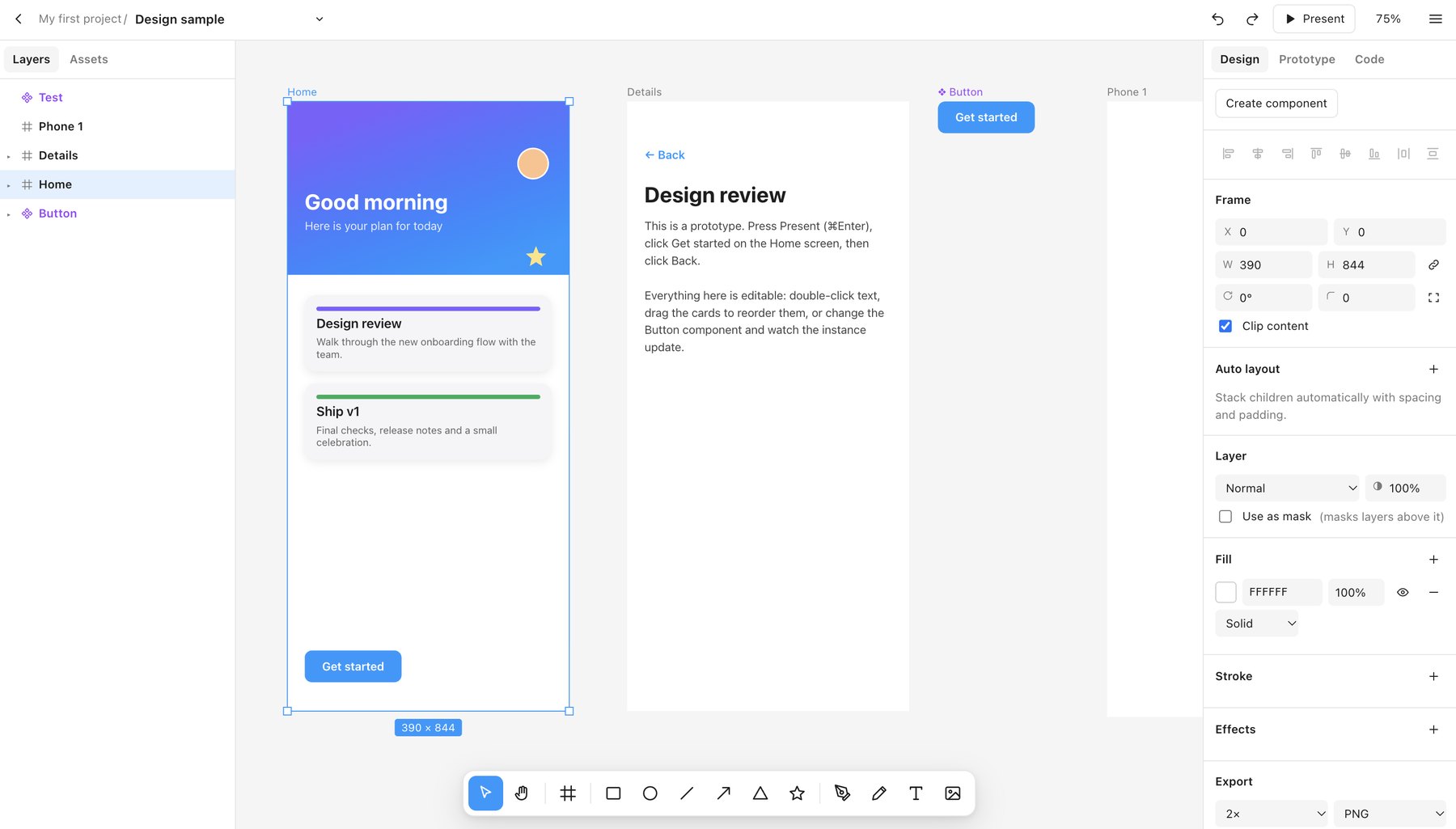
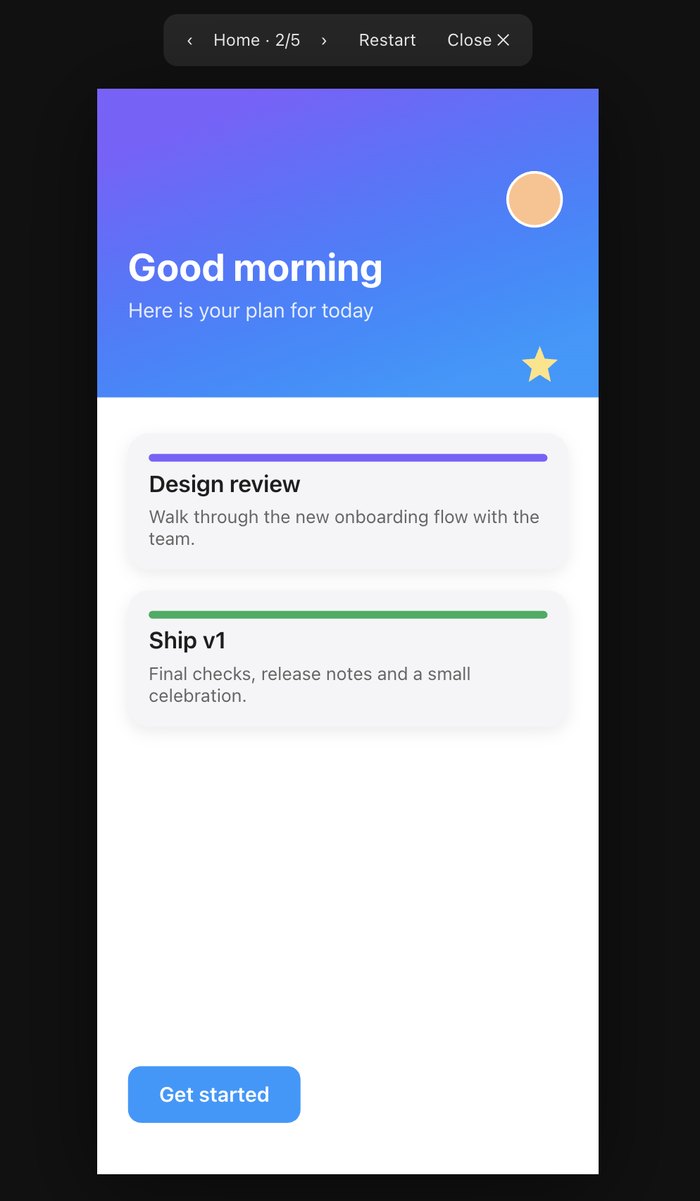
VerdictMuch better than I expected. For personal use, I’d happily open it.
BThe whiteboard
The whiteboard took about 30 minutes and came out pretty good. There were a few minor issues, but nothing that stopped me using it. I’d be very happy running it locally, for myself or my own team.
VerdictGood enough to use, with rough edges.
CThe chat app
The chat app was missing the most. The core of a chat system was there and worked, but a lot of what makes the original feel like itself wasn’t. For personal use or a small private team, it would still do the job.
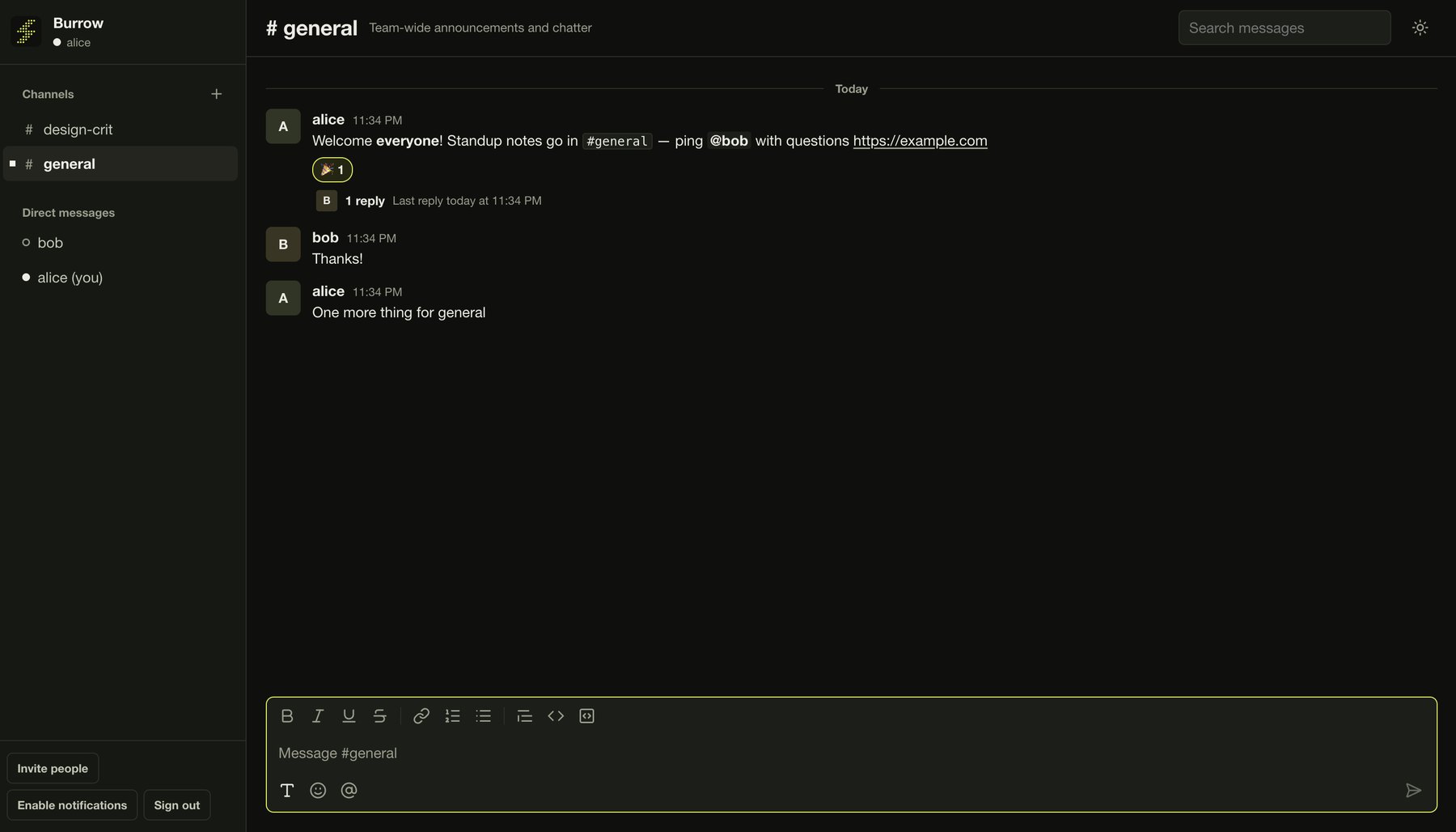
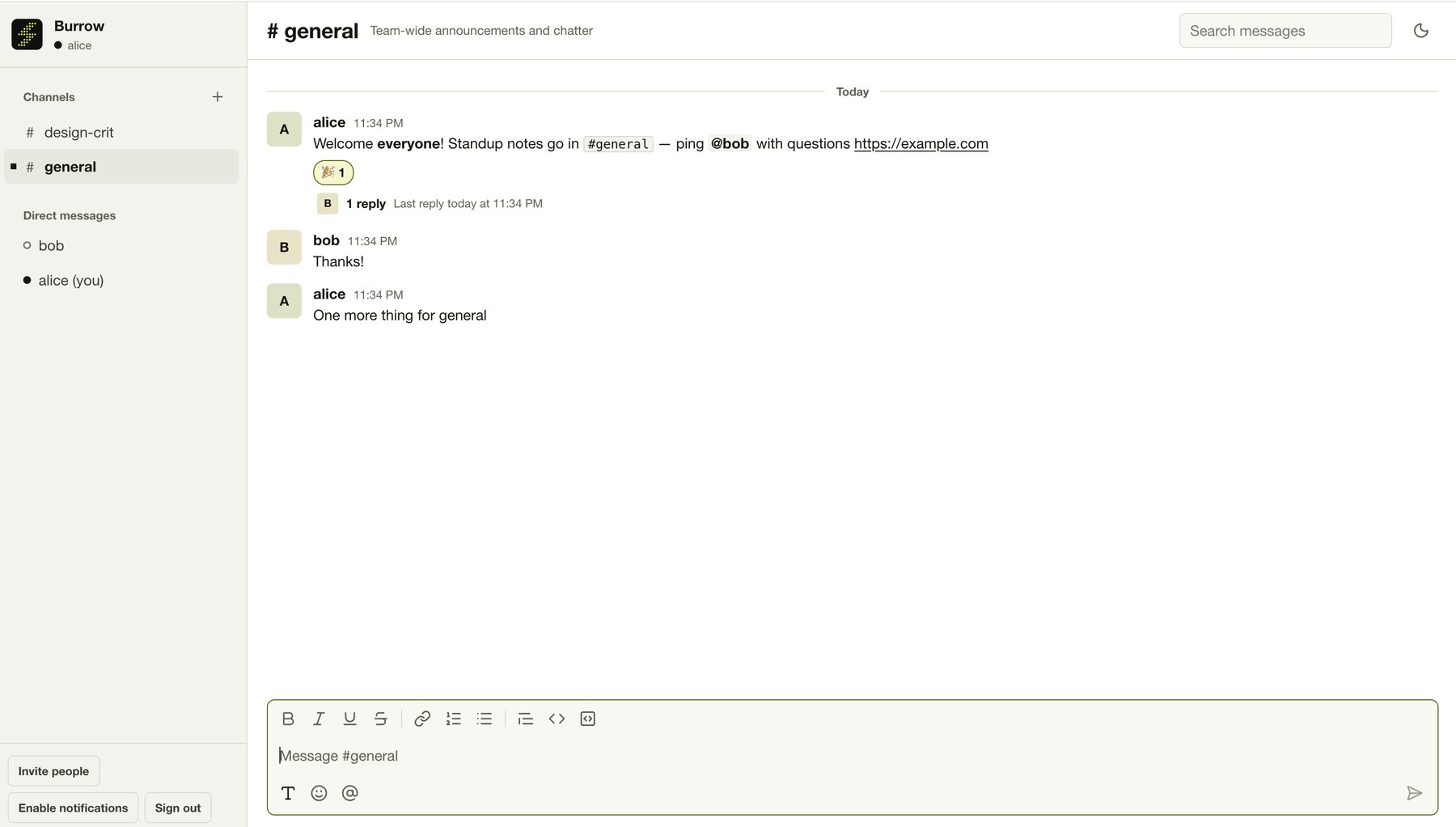
VerdictA working chat app, but the furthest from the original.
What I noticed
When I lined the three results up, they sorted themselves along one line. The more of a product that lives on your machine, the better the copy.
runs on your machineMostly system
servers, data, people
The design tool ships almost its whole editor to you. The tools, the rendering and the logic that makes a design editable all run in your browser or desktop app, so REA can see them and the agent has a lot to work from. The chat app is the opposite. The window on your screen is fairly thin. The value lives on servers: the message history, search, getting every message to every person, and above all the people who are already there. The whiteboard sits in between. Its editor ships to you, but more of its point is people working on the same board together.
Some products are mostly an interface. Others are mostly a system (servers, shared data, sync, the people already on them) with an interface on the front. An agent working from the outside can copy the first kind far better than the second.
Three apps isn’t a study, though. How readable each app’s code was, how I prompted and how much the model already knew about each product could all have played a part. My guess is that the split between interface and system is the biggest factor, but it’s a reading of three results, not a law.
What the copies couldn’t reach is most of what makes a product real.
- 01Real-time sync
- When ten people edit one file, something has to keep every copy consistent and fast. That machinery lives on servers, and an agent looking from the outside sees very little of it.
- 02Data and the network
- A team’s chat workspace holds years of decisions and context, and it’s useful because the people I need are already in it. My rebuild starts empty. A perfect clone with nobody in it is a private notebook.
- 03Reliability and trust
- Reliability, security, compliance and years of small fixes don’t show up from the outside.
- 04Judgement
- Someone on that product team decided the handoff view should exist, and what it should and shouldn’t show. The agent copied the result of that decision. It didn’t make it.
Where I’d actually use this
Personal tools and small-team internal tools. If what I need is the 20% of a product I actually use, “built in an afternoon, runs locally, does exactly that” is now a real option.
Building your own has costs, though, and they’re easy to forget after a 30-minute rebuild. Someone has to maintain it and keep it secure. There’s no support line when it breaks, and if the one person who understands it leaves, you’re stuck. For a personal tool, those costs are small. For anything a team depends on, they add up quickly.
For designers and product people, it’s also a learning tool. Seeing how a well-made product is actually put together, like how a design tool structures its handoff view, teaches you more than a teardown article. You can ask the agent why something is built the way it is and get an answer grounded in the real thing.
And if you build products, it’s worth sitting with this: on their own, features aren’t much of a moat when an agent can study them and rebuild a decent version in an afternoon.
If you try it
- Read the README first, and only examine software you’re allowed to.
- Give the agent a clear picture of “done” before it builds, or it will decide for you.
- Judge the result past the happy path. Click the things a demo wouldn’t, because that’s where the copy thins out.
My ground rules
The rebuilds stay on my machine. I haven’t published or shared them, and I’m not using them in place of the real products for work. REA’s own README is clear about what it’s for, and I’ve tried to stay inside that. I’m not making any claim about the legal position. I’m also not naming the tools. This isn’t about them, and the point holds for any product like them.