Sounding like you know vs actually knowing
Using AI to learn, not just answer
AI can give anyone the words to sound like an expert in a few seconds. That’s useful, but it’s not the same as understanding something, and at work the difference shows up quickly. Here’s the test I use and the questions I ask AI so I end up knowing it, not just sounding like I do.
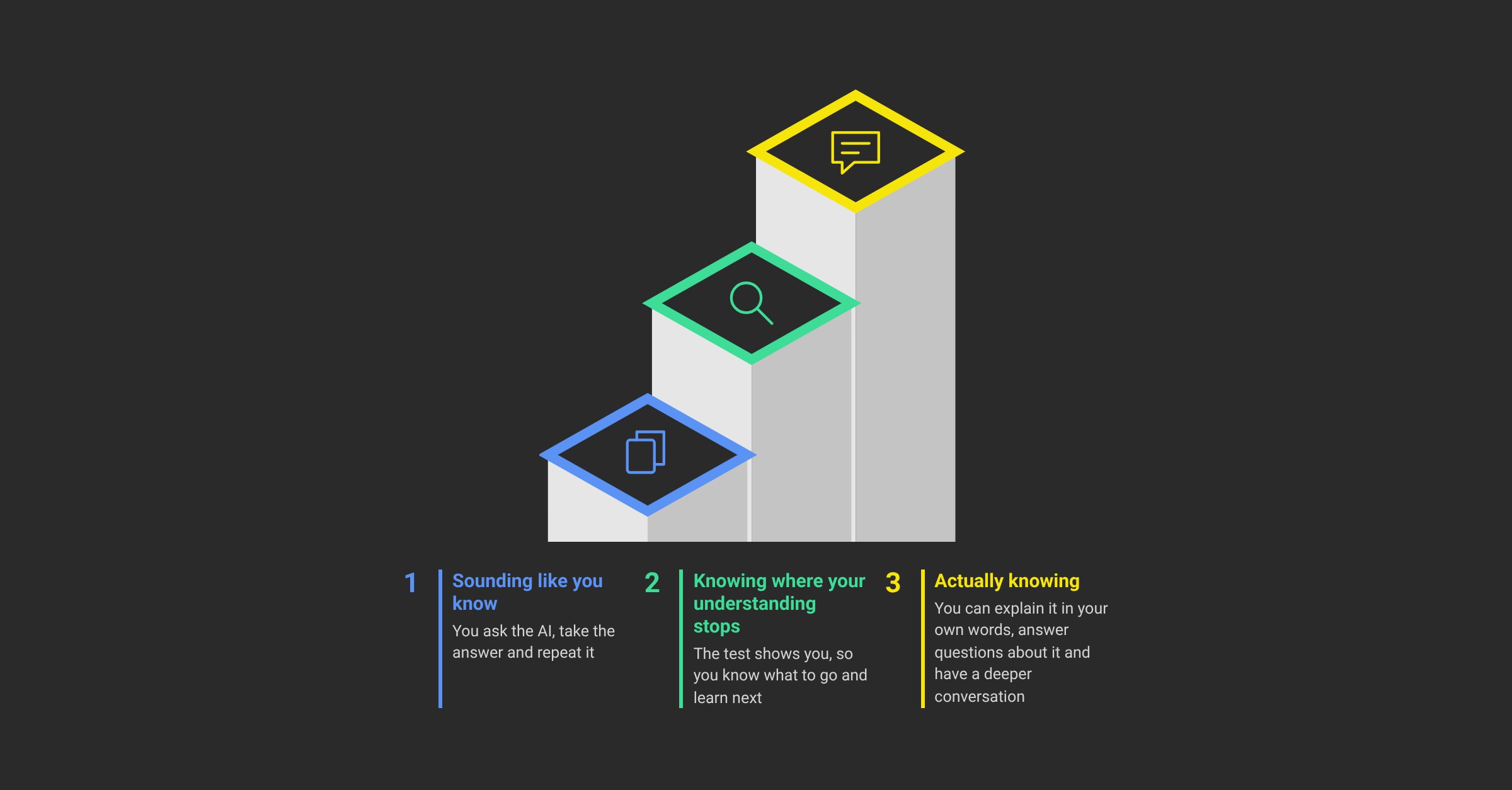
- 1Sounding like you knowYou ask the AI, take the answer and repeat it
- 2Knowing where your understanding stopsThe test shows you, so you know what to go and learn next
- 3Actually knowingYou can explain it in your own words, answer questions about it and have a deeper conversation
Admitting you don’t know feels riskier now
A recent survey by Use.AI of 10,417 working adults found that 56% feel admitting they don’t know something at work is riskier than it was before AI. 37% said they had pretended to know something in the last six months, and 58% of those went and checked privately afterwards. It’s higher for younger people too: 71% of 18 to 29 year olds, against 44% of people over 45.
CautionIt’s worth saying that Use.AI sells an AI assistant, and the survey doesn’t show that AI caused any of this.
But it matches what I see, and I think the reason is fairly simple. When everyone has an assistant that can explain anything, “I don’t know” sounds like you didn’t bother to ask, so people ask the AI, take the answer and repeat it.
The good news is that the same tool that makes it easy to sound like you know is also a very good way to actually learn, if you use it a bit differently.
What sounding like you know looks like
I’ve seen this many times. You can usually tell because the person explains things very mechanically, like they’re repeating something they read. It sounds fine at first. The issues come up when the conversation goes a bit deeper, either because you question them on their thinking, or because you add something from your own knowledge and they can’t follow it or don’t know what you’re talking about.
Let’s say someone asks an AI about programming languages and comes back with “I chose PHP because of X”. You ask whether they considered Y, and if not, why not, and they can’t answer or don’t know what Y is, when someone who works with it every day would. Or someone with no experience or training in programming is suddenly explaining why React is the best choice.
That could just be a gap in their education, and that’s fine, nobody knows everything. But either way it comes down to whether the person can show they understand the topic: explain it in their own words, answer questions about it and have a deeper conversation. The AI’s answer can’t do that part for you.
| Sounds right | Knows it | |
|---|---|---|
| How it’s explained | Mechanically, like something they read | In their own words |
| “Why?” or “What about Y?” | Can’t answer, or doesn’t know what Y is | Answers, and can talk through the alternatives |
| You add something you know | Can’t follow it | Has the deeper conversation |
The test I use on myself
Before I rely on something I’ve learned from AI, I ask myself three things:
- 3
- 2
- 1
If the answer to any of them is no, I don’t know it yet. I just have an answer.
One caveat, and it’s an honest one: to really judge whether an answer is right, you need to understand the subject yourself. The test doesn’t replace that. What it does is show you where your understanding stops, so you know what to go and learn next.
How I use AI to learn, not just to answer
This is the routine I follow, and it’s not complicated.
- 1
- 2
- 3
- 4
Then I go back to the test. Could I explain it in my own words now? Usually, after a few rounds, yes.
Questioning the AI catches its mistakes too
This isn’t only about learning. Asking follow-up questions is also one of the simplest ways I catch the AI getting something wrong.
It happened again on 12 November. I was discussing some new requirements with an AI before it started building, and something it said made me think it had misunderstood what I meant. So I asked why it had asked that, and checked it didn’t mean X, because if it did, that’s not what I wanted. It admitted it had misread my meaning and corrected itself before it went any further. If I’d just let it carry on, I’d have found out much later, after it had built the wrong thing.
That happens to me a lot, and it’s the same questions as above, just pointed at the AI’s understanding instead of mine.
What I teach people
When I help people start using AI at work, this is a big part of it. Partly it’s mindset: the AI’s answer is a starting point to question, not a finished thing to repeat. Partly it’s habits, like checking the data yourself instead of trusting the summary, and for anything that matters, having a second agent review the first one’s work. A second reviewer asks the questions you might forget to ask, and it doesn’t have the same blind spots as the one that wrote the answer.
None of this slows you down much. A couple of follow-up questions takes a minute, and it’s the difference between being able to use what you learned and only being able to repeat it.
Try it this week
Next time you ask AI something you’ll rely on at work, don’t stop at the first answer. Paste these in as follow-ups, one at a time:
- 1
- 2
- 3
- 4
Then try explaining the answer to a colleague, or just out loud to yourself. If you get stuck on “why”, that’s the next question to ask.
Source: the Use.AI survey of 10,417 working adults, as reported by The Agile Brand Guide.